 listicle
Benefits of Virtual Divorce Mediation Sessions
Table of Contents
- The Real Benefits of Virtual Divorce Mediation Sessions
- Virtual Divorce Mediation Cost vs In-Person: Where the Savings Come From
- Flexible Scheduling and Remote Access for Busy Families
- How to Prepare for Virtual Divorce Mediation
- Tips for Successful Zoom Divorce Mediation Sessions
- Legal Validity, Privacy, and Security in a Digital Setting
- Is Virtual Mediation Right for Your Divorce?
- Frequently Asked Questions
Last Updated: September 8, 2026
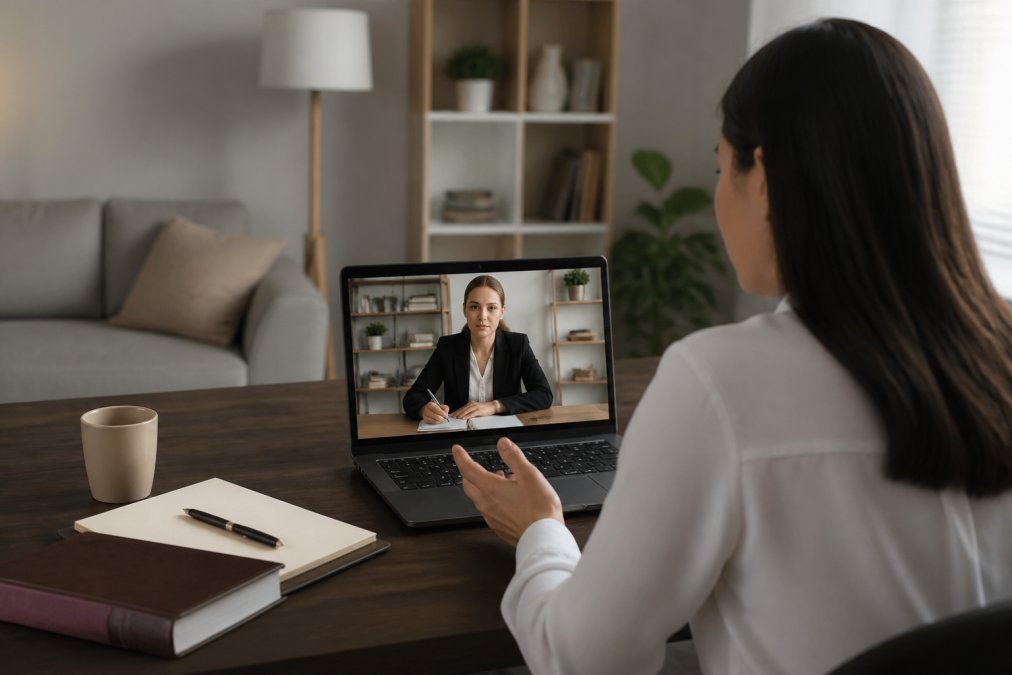
Divorce mediation has moved online, and for many families, that shift is a relief. Virtual divorce mediation is a structured dispute resolution process conducted over secure video conferencing, allowing both parties, their attorneys, and a neutral mediator to negotiate terms without sitting in the same room. At Coppins Law Group, PLLC, we provide steady guidance and strong courtroom representation to protect your rights, freedom, and future. Below, we break down the real benefits of virtual divorce mediation sessions and show you exactly how to prepare for a successful outcome.
The Real Benefits of Virtual Divorce Mediation Sessions
The most immediate advantage is the reduction of emotional tension. When you are not physically seated across from your soon-to-be ex-spouse, the conversation feels less confrontational and more manageable. This emotional distance often leads to more productive negotiation over critical issues like custody arrangements and asset division.

Virtual sessions also eliminate the logistical burden of traveling to an office, arranging childcare, and taking extended time off work. Many parents find that being in their own home during a video call helps them stay calmer and more focused on the co-parenting plan. The goal is to reach a settlement agreement you can both live with, and removing those physical stressors makes that achievable.
Virtual Divorce Mediation Cost vs In-Person: Where the Savings Come From
Virtual divorce mediation cost vs in-person comparisons usually favor the remote option. The savings are not just about the mediator's hourly rate. When you remove the conference room rental, the mediator's travel time, and the administrative overhead of a physical office, those costs disappear from your bill.
A common approach is for mediators to bill in shorter blocks for virtual sessions because they can schedule back-to-back meetings without gaps. You also save on your own expenses: no gas money, no parking fees, and no lost wages from taking a full day off to drive across town. Over the course of several sessions, these small savings add up significantly compared to traditional litigation or even in-person mediation.
To understand how these savings apply to your specific situation, most firms offer a free initial consultation to outline the cost structure. This is where you can ask direct questions about fees and compare the financial disclosure requirements for your case.
Flexible Scheduling and Remote Access for Busy Families
Remote access transforms scheduling flexibility. Instead of coordinating two work calendars around a mediator's limited in-office availability, you can often book sessions during evenings or lunch breaks. This is a major advantage for working professionals who cannot afford to miss meetings or for parents juggling school drop-offs.
The technology also bridges geographic gaps. If one spouse has relocated for work, or if family members live in different states, virtual sessions keep everyone involved without expensive travel. Guidance on remote court proceedings and technology use confirms that federal courts have widely adopted video conferencing for hearings, reflecting a broader acceptance of remote legal processes.
This accessibility extends to document sharing. Instead of mailing financial statements back and forth, parties can use secure digital platforms to review and exchange paperwork in real time, keeping the process moving efficiently between sessions.
How to Prepare for Virtual Divorce Mediation
Preparation determines whether your session is productive or frustrating. The first step is technical: test your internet connection, camera, and microphone the day before. Find a quiet, private room where you will not be interrupted, and treat the session with the same formality as an in-person meeting.
Next, organize your financial disclosure documents. Have your tax returns, bank statements, and asset records ready on your desk or in a secure digital folder. A common mistake is scrambling for documents mid-session, which wastes billable time and creates unnecessary stress.
- Test your video and audio equipment
- Prepare a private, distraction-free space
- Compile financial disclosure documents in advance
- Write down your non-negotiable terms and your flexible ones
- Review the settlement agreement draft before the call
- Confirm who will schedule and host the video link
Tips for Successful Zoom Divorce Mediation Sessions
Successful Zoom divorce mediation sessions require a different communication style than in-person meetings. Because you are on camera, your body language and tone carry extra weight. Sit upright, look at the camera when speaking, and avoid interrupting your spouse, as the slight audio delay on video calls makes overlapping speech more disruptive.
Managing High-Conflict Personalities Virtually
One of the most effective tools is the private breakout room. If negotiations become heated, ask the mediator for a caucus session where each party meets separately with their own legal counsel. This allows you to regroup, assess offers, and return to the main room with a clearer head.
But what if your spouse is prone to dominating the conversation or making personal attacks? Virtual mediation actually gives the mediator more tools to manage this than in-person sessions:
- Mute controls: The mediator can mute a participant who is interrupting, something that is impossible in a physical room. This prevents one party from talking over the other and keeps the process orderly.
- Breakout rooms for de-escalation: When tensions spike, the mediator can send each party to a separate breakout room with their attorney. This 'cooling-off' period is more natural online than in-person, where leaving the room can feel awkward.
- Visual cues: Mediators are trained to read non-verbal cues, but on video they can also see when a participant is becoming agitated, like rolling eyes or shaking their head, and intervene before it escalates.
- Structured turn-taking: The mediator can use the chat feature to allow each party to type out their points without interruption. This is especially useful for high-conflict couples who struggle to listen to each other.
A practical tip: keep a notepad next to you to jot down points you want to address. When the mediator asks for your input, you will have organized thoughts ready rather than reacting emotionally in the moment. This procedural efficiency keeps the session moving forward and demonstrates to the mediator that you are negotiating in good faith.
Get Your Free Consultation Now →
Another unique advantage of virtual sessions: you can have a trusted support person (like a therapist or a friend) physically present in the room with you, off-camera, to provide emotional support. This is not possible in most in-person mediation settings, and it can be a lifeline for those who feel overwhelmed.
Finally, remember that the goal is not to 'win' each exchange but to reach a settlement that works for your family. Virtual mediation, when used correctly, can actually reduce the emotional temperature and help both parties communicate more effectively, if you use the tools available.
Legal Validity, Privacy, and Security in a Digital Setting
A frequent concern is whether an agreement reached online holds up in court. A mediated settlement agreement signed electronically is legally binding and enforceable, provided it meets the same standards as a paper agreement (the FTC). The Electronic Signatures in Global and National Commerce Act establishes that e-signatures carry the same legal weight as handwritten ones for most contracts, including settlement agreements.
But what about the security of your sensitive financial and personal data during a video call? Most articles mention 'secure platforms' without explaining what that actually means. Here is what reputable mediators and platforms do to protect your information:
- End-to-end encryption (E2EE): Look for platforms that use E2EE, meaning only the participants can decrypt the audio and video. Zoom, for example, offers E2EE as an option, but it must be enabled before the meeting. Ask your mediator which encryption standard they use.
- Waiting rooms and authentication: A secure session requires that each participant is verified before entry. Mediators should use waiting rooms, unique meeting IDs, and passwords. Some platforms allow you to require authentication via email or phone number, preventing unauthorized access.
- No recording by default: Reputable mediators do not record sessions unless both parties consent in writing. If recording is necessary for note-taking, ensure it is stored securely and deleted after the settlement is finalized.
- Secure document sharing: Financial disclosure documents should not be emailed as unencrypted attachments. Instead, use a secure client portal or a service like ShareFile or Dropbox with encryption and access controls. This prevents sensitive data from being intercepted.
Attorney-client privilege still applies when you speak with your lawyer in a private breakout room, just as it would in a physical office. However, be cautious about your surroundings: ensure no one else is in the room and that your screen is not visible to others. A breach of confidentiality can occur if a family member overhears a private conversation.
The key distinction is enforceability. For a virtual mediation agreement to be enforceable, both parties must voluntarily sign it, and it must be reviewed by independent legal counsel. A judge will treat this agreement the same as one reached in person, so you must enter the process with the same seriousness and full financial disclosure as you would traditionally.
Is Virtual Mediation Right for Your Divorce?
Virtual mediation suits most uncontested and moderately contested divorces, particularly when both parties are willing to cooperate. It works best for couples who can communicate reasonably well and want to avoid the cost and stress of litigation avoidance through courtroom battles.
It may not be the right fit if there is a history of domestic violence, severe power imbalance, or if one party struggles with technology to the point it hinders communication. In those cases, in-person sessions with a neutral third party may provide better safeguards.
For everyone else, the benefits of virtual divorce mediation sessions are clear: reduced cost, flexible scheduling, and a calmer environment for making life-changing decisions about your children and finances. If you are considering this path, the experienced team at Coppins Law Group, PLLC can provide steady guidance. We help protect your rights and your future with clear advocacy tailored to your specific needs.
Divorce is stressful enough without adding scheduling conflicts, travel time, and uncomfortable face-to-face confrontations to the mix. Virtual mediation removes those barriers, letting you focus on what matters: reaching a fair agreement that protects your family's future. At Coppins Law Group, PLLC, we combine trial-prepared legal strategy to advocate for your interests throughout Michigan. Get Your Free Consultation Now and explore how virtual mediation can work for you.
Frequently Asked Questions
Is virtual divorce mediation legally binding in Michigan?
Yes. A mediated settlement agreement reached in a virtual session carries the same legal weight as one negotiated in person. Once both parties sign the agreement, it becomes a binding contract. Your attorney will then file it with the court for approval, and a judge will incorporate it into your final divorce judgment. The key is ensuring the agreement meets all state legal requirements, which your mediation attorney will verify before you sign.
What is the downside to divorce mediation?
Mediation requires both spouses to cooperate and communicate honestly, which is difficult in high-conflict divorces. It also will not work if one party is hiding assets or refuses to disclose financial information. Unlike a court trial, a mediator cannot force a resolution. If you cannot reach an agreement on critical issues like child custody or asset division, you may still need to go to court, which adds time and cost.
What should I prepare for a virtual divorce mediation session?
Gather your financial disclosure documents first, including tax returns, pay stubs, bank statements, retirement account balances, and a list of debts. Test your video conferencing software and internet connection before the session. Choose a private, quiet space where you will not be interrupted. Have a notebook and pen ready, and keep a glass of water nearby. Most importantly, prepare a list of your priorities and non-negotiable items before you log on.
Can virtual mediation reduce the overall cost of a divorce?
Yes, it often does. Virtual divorce mediation cost is typically lower than in-person sessions because you save on travel time and related expenses like gas or childcare. Many mediators also offer reduced hourly rates for remote sessions. By resolving disputes through mediation rather than litigation, you avoid the high costs of court hearings, depositions, and extensive attorney billable hours. This makes it one of the most cost-effective paths to finalizing your divorce.